
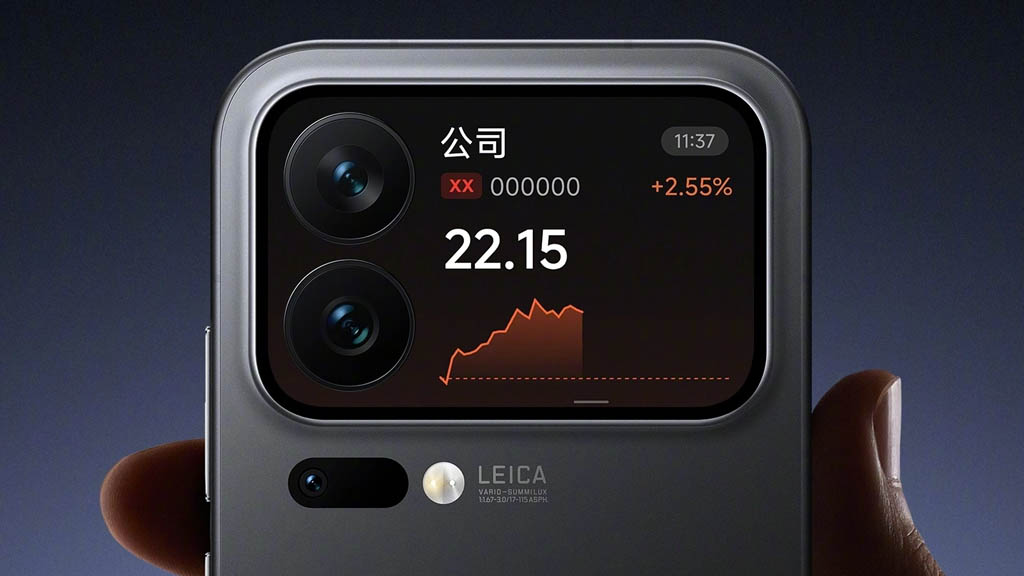
Xiaomi is enhancing the Xiaomi 17 Pro models with a new feature in the HyperOS 3.0 update: stock price visuals. Users can now check stock market details directly from the Magic Screen on the back of their devices, without unlocking the phone.
New Stock Price Visuals on the Magic Screen
The Magic Screen feature is unique to the Xiaomi 17 Pro models. Xiaomi has made full use of this rear display panel, continuously adding useful features. The latest addition allows users to view stock market data right from the back screen, making it convenient for those who frequently check stock prices.
How to Access the Stock Quotes Feature
To use the new stock price visuals feature, Xiaomi 17 Pro users need to follow a simple process:
- Go to the Settings app.
- Select the Enjoy Back Screen section.
- Tap on Back Screen Service Assistant and enable the Stock Quotes toggle.
Once activated, users can access the feature by swiping down on the Magic Screen. They can then easily switch between widgets to view the latest stock updates.
Read Also
Xiaomi 17 Pro Update
Xiaomi 17 Pro Update
HyperOS 3.0 Update
Convenience and Speed
This feature offers significant convenience. Instead of unlocking the phone and opening a specific app or platform, users can simply swipe down on the back screen to get stock updates instantly. It’s a seamless way to stay updated on stock prices without any extra hassle.
Rolling Out with HyperOS 3.0.40.0
This new feature is available with HyperOS 3.0.40.0, which is now rolling out to eligible Xiaomi 17 Pro devices. Be sure to install the update to access the new stock price visuals feature and other improvements brought by the latest build.